I turn complex technology strategy into operating reality.

I lead cross-functional transformation at the intersection of technology, operations, platforms and people. I build the structures that help organizations make better decisions, align teams and turn ambitious ideas into work that can actually be delivered.

Jeanne Scilley smiling, in a denim jacket and red top
Execution

I tend to find myself brought into the middle of complicated things.

Usually, I’m there because something needs to connect: people need alignment, decisions need to get made, or a big idea needs a path to execution. My job is to help create that path.

Scroll to follow the line ↓
01 · Enterprise AI

AI as an enterprise capability, not a project.

AI captured my imagination in a way no technology had in more than a decade. So much so that it sent me back to the classroom to understand what makes it work and what it makes possible. At Wacom, I’m helping turn that potential into a lasting enterprise capability. Rather than simply purchasing an AI assistant, we’re investing in the infrastructure, knowledge systems, governance, and operating model that allow us to build and evolve AI on our own terms. Wacom’s internal AI platform is where that strategy begins to take shape.

02 · Digital Platform Unification

Eleven years in the making.

One of the first opportunities I saw at Wacom was bringing our separate digital experiences together. Eleven years later, we’re finally making that transition. I’m leading the program to unify the platforms, customer journeys, and technical and business teams behind them, reducing complexity and operating costs while creating a more coherent digital experience. And we’re doing it while keeping the existing business running.

03 · IS Portfolio & Operations

The operating system behind the work.

I own Wacom’s Information Services portfolio and much of the operating structure behind how IS gets work done. From intake and prioritization to budget alignment, delivery visibility, service management, SDLC, and release governance, I’ve built connected processes that help teams make decisions, manage commitments, and deliver without unnecessary bureaucracy.

04 · Atlassian

From project tooling to an enterprise ecosystem.

I own Wacom’s Atlassian ecosystem, connecting the platforms and processes behind development, service management, knowledge, portfolio operations, and increasingly AI. What began as a collection of tools has become an enterprise capability, and my responsibility is to make sure the technology, workflows, governance, and automation evolve together.

01Open Brain

My knowledge shouldn't belong to my AI tools. I use different AI assistants for different kinds of work, but I don’t want my thinking trapped inside any one of them. So I built Open Brain, a persistent knowledge system that connects conversations, notes, decisions, and project history across AI platforms. It's my attempt to give AI something it often lacks: continuity.

02Pre-Meeting Brief

The meeting starts before the meeting. My work lives across Apple Notes and Reminders, Microsoft Teams, Outlook, Jira, Confluence, recorded meetings, and multiple AI platforms where I work through ideas and decisions. Pre-Meeting Brief brings those disconnected sources together, uses Open Brain to connect the history and context, and surfaces what actually needs my attention: unresolved decisions, conflicting information, forgotten commitments, and next steps that never made it onto anyone’s list.

03Project Pulse

Beyond the status dashboard. Project Pulse grew out of Pre-Meeting Brief. If AI could connect information across disparate systems to prepare me for a meeting, could it use that same information, along with the accumulated history of past meetings, to give me a continuous picture of project health? What started as a dashboard became a much bigger experiment in teaching AI how an experienced project manager thinks, recognizes patterns, and decides what actually deserves attention.

04Project Health Check

A health check should start a conversation. A project health report is only useful if you can challenge what it tells you. I built Project Health Check to look beyond status indicators, identify potential concerns, and explain the evidence behind them. But teaching AI which signals matter, when to raise a flag, and when to leave something alone has proven far more complicated than generating a report. It turns out that professional judgment is difficult to automate.

05Friday Reset

Making some sanity out of the insanity. After a week of back-to-back meetings, Friday is my chance to catch up, think, and get organized. I built Friday Reset to bring together the commitments, decisions, follow-ups, and unfinished work scattered throughout the week. It helps me close the loops I can, identify what still needs attention, and head into Monday with a plan instead of a head full of loose ends.

How I work

A few things I’ve learned about getting complicated work done.

01
Create structure without creating bureaucracy.

Enough structure to make the work possible. No more than the work earns.

02
Give teams guardrails, then let them cook.

Set the boundaries. Make the outcome clear. Then get out of the way. It’s amazing what good teams can do when you let them work.

03
Don’t let green lie.

Data is a signal, not a substitute for judgment. Green on the outside and red on the inside isn’t a healthy project. It’s a watermelon.

04
Simplify relentlessly.

The best processes are the ones people barely have to think about.

05
Protect the outcome. Let the path flex.

Every project has a beginning and an end, but it’s what happens in the middle that matters. Let the work tell you how to get from one to the other.

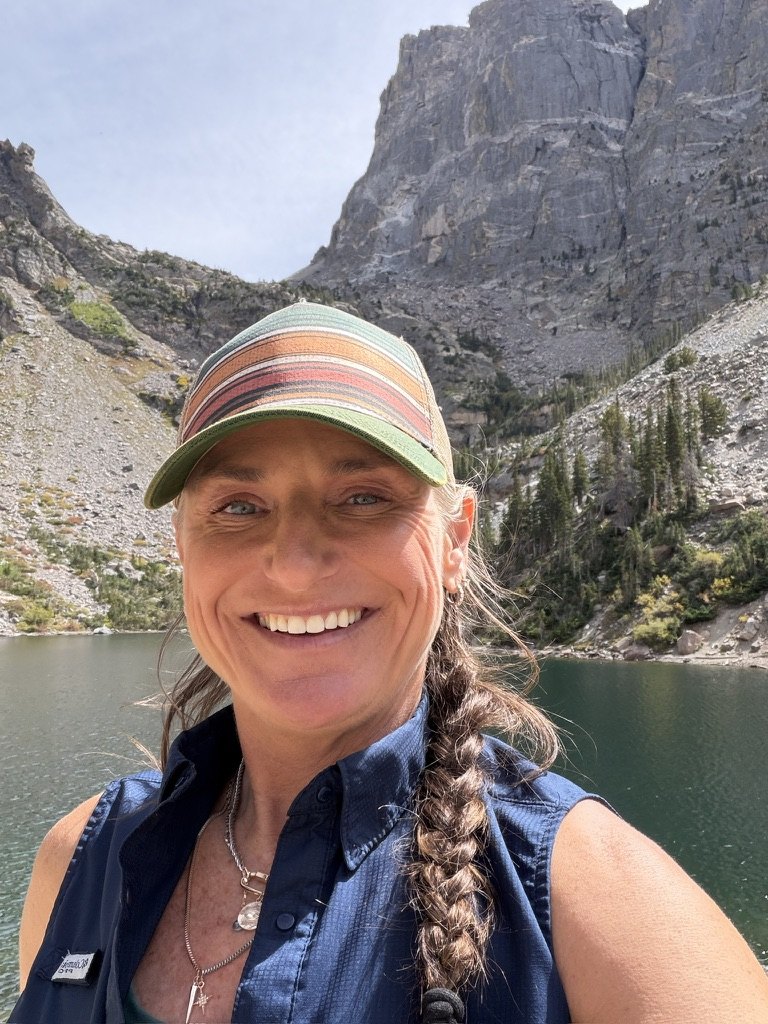
Jeanne on a hike, smiling in front of an alpine lake and granite cliffs
About

The big idea has always been the interesting part.

I started my career in digital agencies, at the intersection of high-concept brand work, big clients and emerging technology. I cut my teeth alongside some of the industry’s biggest brands and creative minds, where the questions were always ambitious: can this be done, and how could we make it work?

From there, my career moved through digital commerce, program leadership and Information Services. The work became larger and more operational. My scope expanded into enterprise platforms, portfolio management, technology operations and cross-functional transformation. But that original instinct never really went away.

Now AI has brought me surprisingly close to where I started. Once again, we’re looking at technology that changes what’s possible. The difference is that now I bring decades of experience in what happens after the big idea: how organizations make decisions, how teams work together, how technology gets delivered, and how something ambitious becomes something people can actually use.

If anything here resonates, I’d love to hear from you.

Let’s talk

Enterprise AI

AI as an enterprise capability, not a project.

The interesting question about enterprise AI isn’t simply what the technology can do. It’s how an organization decides what it should do with it, and then builds the capabilities to make that possible.

At Wacom, we’re taking a deliberate approach to that question. Rather than outsourcing our future knowledge to a single AI provider, we’re investing in an internal capability that we can own, govern, and evolve as the technology changes.

Wacom’s internal AI platform is the first major expression of that strategy.

The platform is designed to make AI useful across the organization in different ways.

At its foundation is a common AI experience for employees, combining general-purpose chat with specialized agents that have specific skills and access to relevant knowledge.

Beyond that, we’re developing purpose-built AI applications for teams with more specialized needs. Some will be standalone experiences, while others will bring AI directly into the systems where employees already work. The goal isn’t to make people change tools just to benefit from AI. It’s to make AI useful in the context of the work they’re doing.

And we’re equally deliberate about what we won’t build. Some use cases are better served by specialized external tools, and our governance model needs to recognize that. Rather than trying to recreate every capability inside our internal platform, we’re establishing a framework for deciding which solutions belong on our internal platform and when an approved external tool is the better choice.

The strategy isn’t to put everything inside one platform. It’s to make sure Wacom uses the right AI for the right work, with the right controls around it.

Supporting that strategy is a long-term investment in our own technical foundation. We’re developing an architecture built around a Kubernetes environment, Open WebUI, LiteLLM, LangChain, and connections to internal knowledge systems through Model Context Protocol (MCP).

This gives us the flexibility to work with different language models, connect enterprise information, and develop new capabilities without tying the entire system to one provider. The goal isn’t to build everything ourselves. It’s to own the architecture, knowledge relationships, access controls, and decisions that matter while remaining free to adopt better technology as it emerges.

Wacom has decades of institutional knowledge spread across systems, documents, projects, and people. Making that knowledge accessible through AI requires more than connecting a chatbot to a collection of files. It requires understanding which information is trustworthy, how it should be retrieved, who is permitted to see it, and how the system should behave when it doesn’t have a reliable answer.

We’re establishing those foundations alongside the technology: knowledge readiness, governance, security, use-case evaluation, and a path from experimentation to production.

My role connects the business strategy to the technical work. I help shape the operating model, translate business needs into requirements engineering teams can act on, and make sure our technical decisions support the longer-term enterprise strategy.

I also made a deliberate decision to deepen my own technical understanding. I enrolled in Cornell’s AI coursework because I wanted to contribute to this work with more than enthusiasm. Studying machine learning, neural networks, generative AI, and their limitations gave me a stronger foundation for questioning assumptions, evaluating tradeoffs, and participating in the design of an enterprise AI capability.

The work that came out of that learning helped shape how I approached Wacom’s internal AI platform: not as another software deployment, but as a long-term investment in how Wacom uses and manages its own knowledge.

We’re not just giving employees access to AI. We’re building the foundation for what comes next.

Digital Platform Unification

Eleven years in the making.

When I joined Wacom, our corporate website and e-commerce experiences operated as separate platforms, managed by different organizations with different priorities.

I saw an opportunity to bring them together. The customer doesn’t experience a company through its organizational chart, so why should its digital platforms reflect one?

Eleven years later, we’re finally making that transition.

I’m leading Wacom’s Digital Platform Unification program, bringing together the technology, business processes, and teams behind our global digital experiences.

The program involves several connected transformations: migrating corporate content to Contentful, moving e-commerce toward a headless architecture, and consolidating additional web properties onto a more unified foundation.

The intended benefits extend well beyond a consistent customer experience. We’re working to simplify our technology landscape, reduce operational and platform costs, improve SEO, streamline content management, and create a more flexible foundation for future digital capabilities.

But unifying platforms also means changing how the organization works.

Historically, different business groups have owned different parts of the customer experience. Technical teams have developed their own approaches, systems, and priorities around those boundaries.

Bringing everything together requires more than an architecture roadmap. It requires organizational change management.

A significant part of my responsibility is helping those teams move from separate ways of working toward shared processes, clearer ownership, and a common understanding of the customer journey.

That includes aligning business leaders around priorities, facilitating decisions across technical and nontechnical teams, preparing teams for new tools and responsibilities, and managing the transition without disrupting existing operations.

We’re also working across global markets, different commerce environments, and multiple time zones. The organization still needs to launch products, support customers, and run campaigns while the platform underneath those activities is being rebuilt.

My role is to keep the larger transformation connected: the technology, the business decisions, the people, the sequencing, and the day-to-day reality of delivering change.

The challenge isn’t simply bringing websites together. It’s bringing the organization behind them together, too.

IS Portfolio & Operations

The operating system behind the work.

When I moved into Integrated Portfolio & Services Management, the challenge wasn’t a shortage of work. It was the absence of a consistent way to decide which work should happen, who should own it, and how the organization could see what was being delivered.

Requests arrived through different channels. Priorities competed. Teams were sometimes asked to begin work before requirements, resources, or funding were understood.

I set out to build a more coherent operating model for Wacom’s Information Services organization.

We established structured intake through Jira Service Management, creating a path from initial business requests through discovery, feasibility, resource and budget evaluation, and leadership decisions.

This gave stakeholders a clearer way to request work and gave Information Services a more consistent way to evaluate it.

I also established portfolio visibility and regular reviews, connecting individual initiatives to the larger picture of organizational priorities, available capacity, and delivery commitments.

Beyond the IS portfolio, my responsibilities include the processes supporting software development, service management, and coordinated releases across enterprise platforms.

Release governance is a good example of my approach. We moved toward a coordinated, biweekly cadence with documented decisions and asynchronous communication, reducing the burden of global meetings while maintaining the evidence needed for compliance.

I don’t believe in process for the sake of process. I believe in creating just enough structure to make work easier, decisions clearer, and accountability visible. Good processes should help people do their jobs, not become another job they have to do.

The goal is an operating environment where people understand what matters, decisions don’t disappear into email, and leadership can see what’s happening without constantly interrupting the teams doing the work.

Atlassian

From project tooling to an enterprise ecosystem.

I’ve been working with Atlassian since 2003, long before enterprise platforms and connected workflows became central to my role.

What started as a practical way to manage projects eventually became something much more interesting to me: the opportunity to influence how entire organizations coordinate work.

At Wacom, that has meant looking beyond individual applications to the operating environment they collectively support.

When different teams build their own workflows, request processes, and reporting structures, the result can be a collection of locally useful solutions that don’t work particularly well together.

My approach has been to create greater consistency without forcing every team into the same process.

I’ve worked with engineering and business teams to standardize software development workflows, establish service management practices, introduce automation, and connect project execution to portfolio-level visibility.

That work requires understanding how people actually operate.

A development team and a service desk have different needs. A business stakeholder requesting a new capability shouldn’t have to understand the technical structure behind the request. And leadership should be able to understand progress without asking teams to manually assemble another status report.

The challenge is designing systems that accommodate those differences while maintaining a coherent enterprise foundation.

Today, the Atlassian ecosystem also intersects with broader transformation initiatives, including customer service platform consolidation and enterprise AI.

That evolution creates new questions about architecture, governance, knowledge management, integrations, and the long-term role of these platforms in the organization.

My experience as both a practitioner and platform owner shapes how I approach those decisions. I understand what it feels like to use the tools every day, and I understand the organizational consequences of how they’re configured.

The measure of a successful enterprise platform isn’t how much functionality it has. It’s how effectively it helps people get work done.

Side Quest

Open Brain

My knowledge is my knowledge. It shouldn’t live inside whichever AI tool I happen to be using.

AI is changing fast. A new frontier model comes out, or I switch tools for a different kind of work, and hours or even years of thinking stay behind. I learned early that I needed control over my own knowledge and context, so I built Open Brain: my own Supabase database that any of my AI tools can read from and write to.

One thought, saved in one tool and found in another. The exchange is a sample.

  1. ATuesday, September 29 · in Claude

    Claude

    Save this to Open Brain: staging slips to October 14 so Owen can finish the Kubernetes upgrade first. Owen owns the upgrade.

    Used Open Brain: capture thought

    Saved as a decision, tagged with staging and infrastructure, with Owen as the owner of the Kubernetes upgrade.

    Reply to Claude…

  2. BStored in Open Brain, my Supabase database

  3. CFriday, October 9 · in ChatGPT

    ChatGPT

    I’m thinking about taking October 13 to 15 off to visit family. Can you help me write an out-of-office message?

    Searched Open Brain

    Happy to. One thing first: October 14 is the AI pilot’s staging go-live, and Owen is finishing the Kubernetes upgrade right before it. If you’ll be away, make sure someone is covering staging that day, or consider shifting the trip by a day.

    Here’s a draft once that’s settled:

    I’m out of the office October 13 to 15. For the AI pilot staging launch, please contact Owen.

    Ask anything

  1. I save it where I’m working. It sorts the thought into a type, topics, people and actions on its own.
  2. It lives in a database I own, not in any one AI tool’s chat history. Each thought gets an embedding, the column of numbers that lets any tool search it by meaning.
  3. A different tool connects the dots. I asked about time off, not staging. ChatGPT found the decision I saved in Claude and caught the conflict before I did.

The models will keep changing. My thinking stays with me.

Side Quest

Pre-Meeting Brief

I have a lot of systems in my life, and none of them knows the whole story.

Pre-Meeting Brief pulls them together before I walk into a meeting: what’s been decided, what’s still open, and where two sources are telling different stories. That includes my conversations with AI, which are part of the project history even when they never make it into a document.

A sample brief. The format is real; names and ticket numbers are changed.

AI Pilot Weekly Task Force

Thursday, September 24 · 8:00 to 8:50 AM PT · Last session: September 17

  • Pilot live since Sep 1 (week 4)
  • Staging and cost call held Sep 23
  • About 30 new tickets since last week

Items needing attention today

AIP-120: Pilot KPI dashboard (Daniel) was due September 17 and is now overdue. Four weeks into the pilot, baseline KPI numbers are still not confirmed.

AAIP-137: Knowledge token flow and AIP-138: SharePoint access are due September 28 and still have no owner. This is the second brief in a row to flag it.

BAzure run rate: on September 23 Owen found pilot costs of about $1,500 to $1,700 per month, not the ~$700 estimate. VMs and the app gateway account for about 80% of that.

Discussion topics

  1. Pilot dashboard and KPI baseline PriorityRecurring

    AIP-120 has come up in every brief since August 26. It moved from Ready to Start to Work in progress.

    Ask Daniel: is the dashboard in production? Has Grace tested it? Are the baselines in for time to resolution, reopens, one-touch rate and QA review volume?

    Context: the September 17 portfolio review set a mid-October pilot milestone. Without a baseline, we can’t show results by then.

  2. Staging environment and cloud cost DecisionRecurring

    Outcomes from the September 23 call (meeting recap, verified): dev/test pricing saves 20 to 30%, not 50%. Routing between subscriptions is possible. Owen also saw a warning that the cluster’s Kubernetes version is no longer supported.

    Decide: is September 30 still realistic for staging? Who owns the Kubernetes upgrade?

  3. Abuse monitoring opt-out, now with Legal Recurring

    AIP-94 is a blocker due October 2, with no update since September 3. On September 23 it went to the weekly AI and Legal meeting for a direction: keep monitoring on, opt out, or accept the terms.

    For the team: update the ticket to show who owns the Legal path, and confirm whether October 2 still holds.

Since last meeting

  • Resolved: the Zendesk API scan bug (no longer reproducible), QA tests for the Zendesk API and MCP, and testing of the new agent service.
  • Agent testing on the GPT 5.6 models: low reasoning effort scored best (98.1% vs 94.8% baseline).
  • COn September 21 a pilot user posted an error in the AI channel that looks like a budget-limit message. No reply found. Was it tied to the model update?

Your reminders

  • Due Monday, September 28: research competitor AI spend and strategy. It ties to AIP-129, executive sign-off of the AI strategy (due October 9).
  • DStatus of the document assistant agent: answered by AIP-151 and the September 17 demo. Consider closing it.
EGenerated by Claude, September 24, 7:05 AM PT. Sources: Jira (80 open issues and comments since September 17), Confluence (two meeting recaps and the rollout plan), Outlook, Teams, Reminders (5 open), Open Brain. Both recaps were checked for an action items heading; neither has one (verified).
  1. It remembers. Anything an earlier brief flagged that is still unresolved gets called out as a repeat.
  2. Two sources disagree. The estimate said one thing and the cost review said another. That’s what I want to know before I walk in.
  3. It notices the question nobody answered.
  4. It checks my own reminders against the work, and tells me which ones I can close.
  5. Every brief says where it looked and what it could or couldn’t verify, including Open Brain, where my AI conversations live.

I don’t need another place to store information. I need a way to make sense of the information I already have.

Side Quest

Project Pulse

Project Pulse started with a question: what if the context behind every meeting brief kept building over time?

Gathering the information turned out to be the easy part. The harder problem was teaching AI what it meant. An overdue task isn’t automatically a problem, and a decision that takes several meetings might be entirely reasonable. So I’ve been writing my own project management judgment into it, and it’s still very much a work in progress.

My real dashboard, trimmed down. Names and ticket numbers are changed.

Jeanne’s Project PulseRefreshed 7:05 AM Refresh
  • My Day
  • Meeting Prep
  • Health Check
  • Friday Reset
  • Settings

Good morning, Jeanne. Thursday, October 8

  • 2 meetings
  • 3 attention items
  • 2 at risk
  • 4 reminders due

AToday’s briefing

The AI pilot is where your attention needs to go today. AIP-120, the KPI dashboard, is 9 days overdue, and the mid-October milestone depends on it. The abuse monitoring opt-out (AIP-94) is due tomorrow and still waiting on Legal.

Platform migration had a good week: content model sign-off landed and two cleanup items closed. The one to watch is the data migration epic, quiet for 21 days. Silence that long usually means stuck, not fine, so ask about it in this afternoon’s sync.

Open loops

AIP-94 · Abuse monitoring opt-outAI pilot due Oct 9 · tracked since Sep 24DoneDismiss

BToday’s meetings

9:00 AM · AI pilot task forceBrief ready
1:30 PM · Platform migration syncBrief ready

At risk

AIP-120 · Pilot KPI dashboardAI pilot Daniel · 9d overdue
PLM-37 · Technical preparationPlatform Sam · 4d overdue

CAct on this

AIP-138 · SharePoint accessunassigned · 10d overdue
PLM-13 · Data and content migrationSam · gone quiet 21 days

My reminders

Overdue

Send pilot cost summary to finance

Due today and tomorrow

Confirm staging date with Owen
Review rollout plan comments

DReach out today

Scilley, JeanneAI pilot AIP-128 is at riskAI pilot AIP-128 gone quiet
Reyes, DanielAI pilot AIP-120 is overdue
  1. It writes my day as a story, not a list: where to spend my energy first, and why.
  2. Every meeting comes with its Pre-Meeting Brief already prepared.
  3. Quiet is a signal too. Work that stops moving gets flagged, not just work that’s late.
  4. It holds me to the same standard. Some days, the first person I need to follow up with is me.

I’m not trying to teach AI to manage projects. I’m trying to teach it enough about how I manage projects to help me see what I might otherwise miss.

Side Quest

Project Health Check

Project status and project health aren’t always the same thing.

Project Health Check looks past the status color for evidence: stalled work, unowned decisions, a report that says green when the tracker doesn’t. Then it explains why it raised each flag, so I can challenge it and give it the context it missed.

The hard part is nuance. Not all tasks are created equal: a task that’s a day overdue doesn’t mean the project has gone sideways, but AI still tends to see it that way. It’s very good at cut and dry, and much less good at judgment.

A sample health check. The format is real; the project, people and tickets are changed.

Platform Migration Health Check

Monday, October 5 · Mode: active project · Since October 1

A

Health summary Yellow

Build work is moving, but two epics due next week are stalled, and the latest status report says green while the tracker shows the content model unowned.

Most overdue items share one cause: the content model decision hasn’t landed, so mapping work can’t close. One owner and one decision would clear most of this list.

Timeline At risk

Build and Iteration closes late October. Technical Preparation (PLM-37) and Content Model Design (PLM-46) are both due October 12; neither can finish on its current path.

BWorkload map

  • Tech lead · 5 tickets, 2 overdue, co-owns Technical Preparation. Active, but carrying the critical path alone.
  • Content team · 4 tickets, all current.
  • Business analyst · no tracked tickets. Facilitation work may be happening outside Jira; worth confirming.
  • Unassigned · 9 tickets, including an epic due in 7 days.

Risks and flags

  • CThe October 2 status report shows green and 90% content model completion. The tracker shows Content Model Design unassigned and due in 7 days. Reconcile before the next update goes out.
  • PLM-46 Content Model Design has no owner and only three child tickets.
  • PLM-13 Data and Content Migration hasn’t been updated at the epic level in 21 days, though its children are moving.

Recommendations

  1. ReassignPLM-46 Unassigned → Tech lead. The epic is due in 7 days and the tech lead already owns the sibling epic.
  2. Request updatePLM-43 Post a check-in comment. Idle 9 days and on the critical path.
  3. FlagConfirm the status report with its author before it goes to the sponsor.

DActions taken

No actions executed yet.

Generated by Claude, October 5, 8:10 AM PT. Sources: Jira (47 open tickets), Confluence (status reports and meeting recaps), prior health check (October 1).
  1. It leads with a judgment, then shows the evidence underneath it, including a likely root cause.
  2. It looks at who’s carrying what, including work with no owner at all.
  3. The status report says green. The tracker doesn’t. That gap is the conversation I need to have.
  4. It recommends; it doesn’t act. Nothing changes until I say so.

Of all my AI tools, this is the one with the most promise, but the technology isn’t there yet. You can’t vibe code 20 years of experience into AI in an afternoon.

Side Quest

Friday Reset

Somewhere in between a week of meetings is the actual work I said I was going to do.

Friday Reset reconstructs the week from my meetings, notes, tasks and project systems. What did I commit to? Did that follow-up make it into Jira? Who’s waiting for an answer from me? Some things get finished, some get carried into Monday, and some just get acknowledged as done so they stop taking up space in my head.

A sample reset. The format is real; projects, names and tickets are changed.

🗓 Friday Reset

Weekly wrap-up and forward look · Friday, October 9 · Covering October 2 to 9

A📊 Week at a glance

  • 38Jira tickets movedAI pilot, Platform, Service desk
  • 7MeetingsTask force, 1:1s, migration sync
  • 3Inbox actionsFlagged priority items
  • 5Open loopsTracked below
  • AI pilotStaging date agreed for October 14. KPI dashboard still not in production; abuse monitoring opt-out now with Legal.
  • PlatformContent model workshop held with the vendor’s team; mapping tickets opened. Content Model Design still needs an owner.
  • Service deskLicense cleanup round 3 closed. Triage analysis published; the first automation isn’t built yet.

🏆 Wins

  • License cleanup finished. Three rounds of unused agent licenses removed ahead of the renewal.SDR-41 to SDR-44, all resolved
  • The pilot cost picture is real now. The infrastructure review replaced the estimate with actual run rates.Cost review, October 6
  • Content model workshop completed. First working session with the vendor’s professional services team.Platform, October 5

🧵 Themes this week

  • Pilot cost reality
  • Staging readiness
  • Content model ownership
  • License cleanup
  • Triage coverage

B🔓 Open loops

  • Cost summary for finance. Requested Tuesday; draft started, not sent.Email from my manager, October 6
  • A follow-up from Thursday’s sync never became a ticket. “Owen will check the routing costs.”Meeting recap, October 8
  • Regionalization decision. Still open after three syncs, and it keeps blocking architecture choices.Platform reminders
C

🚨 Needs your attention

  • Cost summary request from my manager unread
  • Grace’s update on the KPI dashboard unread
  • SDR-212 auto-assigned to me; needs triage

📅 Key dates ahead

  • Oct 12Platform epics due
  • Oct 14Staging go-live
  • Oct 15Portfolio review

🔔 Open reminders

  • AI pilot Ask Daniel when the dashboard goes live
  • Platform Decide the regionalization approach
  • Service desk Add a form description for the triage agent (Oct 12)

📈 Project pulse

  • AI pilotActive
  • Platform migrationWatch
  • Service desk refreshActive

Platform: the data migration epic has been quiet for 21 days.

📬 Inbox action required

  • Fw: Pilot running costsFrom my manager · October 8 · Unread→ Send the cost summary before the portfolio review.
  • [Jira] Automation assigned SDR-212 to youFrom Jira Automation · October 9→ Triage it, then reassign or act.

🤝 Connections

  • Owen Took over pilot infrastructure this week. Staging and the Kubernetes upgrade both run through him now.
  • Daniel Owns the KPI dashboard. The mid-October milestone depends on it.
  • Grace Waiting on the dashboard to start testing. Keep her in the loop on the go-live date.

D⚠️ Gaps and risks

  • The queue lead is out Monday to Wednesday. Who owns triage while they’re gone?
  • The data migration epic has gone quiet. Silence that long usually means stuck, not fine.
  • Content Model Design is still unassigned, and it’s due Monday.

E📋 Monday to-do

  1. Send the pilot cost summary before the portfolio review. Urgent
  2. Ticket the routing-cost follow-up and assign it to Owen. AI pilot
  3. Ask the tech lead to take Content Model Design. Platform
  4. Confirm triage coverage for Monday to Wednesday. Service desk
  5. Triage SDR-212. Service desk
Generated by Claude, Friday, October 9, 4:00 PM PT. Sources: Jira, Outlook, Teams, Confluence, Reminders, Open Brain.
  1. It reconstructs the whole week, across every project, not just the one I happen to be thinking about.
  2. Every loose end has a source, including commitments made in meetings that never became tickets.
  3. It reads my inbox for what’s actually waiting on me, not just what’s unread.
  4. It names the gaps before they bite: who’s out, what’s gone quiet, what has no owner.
  5. Monday starts with a plan, in order, instead of a head full of loose ends.

The goal isn’t to finish everything on Friday. It’s to close the week with a clear head and start Monday knowing where I left off.